If you only had time to fix one thing on a page, what should it be? That is really the question behind "which on-page element carries the most weight for SEO." Most guides shout "title tag!" and stop there. That answer is half right and a decade old.
Here is the honest version. Two elements share the top of the list, and they do different jobs. Your main body content decides whether you deserve to rank. Your title tag decides whether Google and searchers understand and click. Get both right and the rest of on-page SEO falls into place. I have audited hundreds of pages, and the ones that win almost always nail these two first.
Quick answer: The on-page element that carries the most weight for SEO is your main body content, closely followed by the title tag. Content quality and relevance prove your page deserves to rank, while the title tag tells Google what the page is about and earns the click. Optimizing both together drives the biggest ranking gains.
The short answer (and why it has two parts)
People want a single winner. SEO does not work that way anymore. Through Google's Helpful Content and core updates, ranking shifted from "one magic tag" to a blend of signals scored together. Within that blend, the main content and the title tag consistently move the needle most.
Think of it like a job interview. Your content is your actual skill and experience. Your title tag is your resume headline. A great headline gets you the interview, but weak skills lose you the job. You need both.
What "weight" actually means in SEO
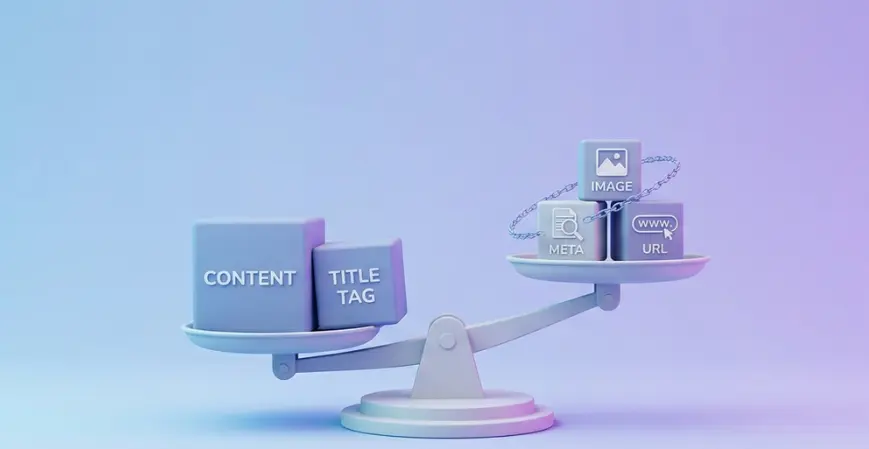
"Weight" is just how much a single factor influences where you rank. Google uses many signals, and they are not equal. A keyword-rich, relevant title shifts rankings far more than, say, an image file name. When we ask which on-page element carries the most weight for SEO, we are ranking these factors by real-world impact, not by how easy they are to tick off.
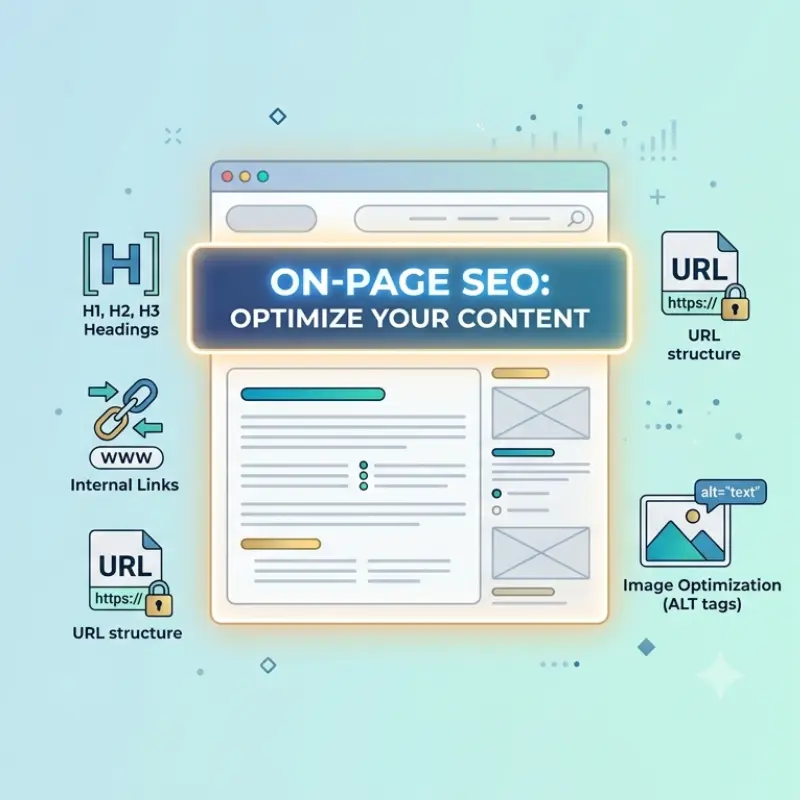
The on-page elements, ranked by influence
| Rank | On-Page Element | Influence | What it does |
|---|---|---|---|
| 1 | Main body content | Very high | Proves relevance, depth, and intent match |
| 2 | Title tag | Very high | Signals topic to Google; drives clicks |
| 3 | Headings (H1–H3) | High | Structures content; reinforces topic |
| 4 | Internal links + anchor text | High | Spreads authority; shows topical links |
| 5 | URL structure | Medium | Gives a clean topical signal |
| 6 | Image optimization (alt text) | Medium | Aids image search and accessibility |
| 7 | Meta description | Indirect | Lifts click-through rate, not rank directly |
Notice the top two are nearly tied. That is the part most articles get wrong.
Why main content carries the most weight
Search engines now read meaning, not just keywords. Their language models compare your text against everything else written on the topic and ask one thing: does this page satisfy the searcher better than the alternatives?
Content wins the top spot because it is the only element that can prove genuine value. A title can promise; only the body can deliver. Pages that bring something fresh, first-hand experience, original data, a clear answer, a worked example, tend to outrank pages that just reword competitors.
What strong content looks like:
- Answers the main question in the first screen, not the fifth paragraph
- Covers the topic fully, including the follow-up questions people ask next
- Shows real experience: screenshots, numbers, a specific example
- Reads cleanly with short paragraphs and useful subheadings
A practical rule I give clients: spend more time researching than rewriting. Unique insight is a signal you cannot fake.
Why the title tag is a close second
The title tag is the HTML element that names your page. It shows up as the blue clickable link in search results and in the browser tab. It is often the first thing Google reads to figure out your topic, and the first thing a human judges before clicking.
It carries so much weight because it does two heavy jobs at once:
- Relevance – it tells the search engine what the page is about
- Clicks – a sharp title pulls more clicks, and higher click-through often supports ranking
That is why title and content sit side by side at the top. One earns the right to rank; the other earns the visit.
The supporting cast: headings, URLs, links, images
These do not win the crown, but skipping them leaves rankings on the table.
- Headings (H1–H3): Use one H1 with your main topic. Break the page into scannable H2s and H3s. Add keywords where they read naturally, never forced.
- Internal links: Point readers to related pages using descriptive anchor text like "on-page SEO checklist," not "click here." This spreads authority and shows Google how your pages connect.
- URL structure: Keep it short, lowercase, and keyword-led:
/on-page-seo-elements, not/page?id=182. - Image alt text: Describe the image plainly. It helps accessibility and image search.
- Meta description: Not a direct ranking factor, but a good one lifts your click-through rate, which matters.
On-page SEO priority order (do this first)
When a page underperforms, work top to bottom:
- Fix the content. Match search intent, fill gaps, add a real example.
- Rewrite the title tag. Lead with the keyword, keep it under ~60 characters, make it click-worthy.
- Sort the headings. One clear H1, logical H2s, keywords used naturally.
- Add internal links with descriptive anchors to and from related pages.
- Clean the URL if it is messy and you can redirect safely.
- Optimize images and meta description last.
This order maps directly to which on-page element carries the most weight for SEO, so your effort lands where it counts.
Real title tag examples: before and after
| Weak title | Stronger title |
|---|---|
| Home - Best Services | On-Page SEO Services in Surat for Small Businesses |
| Blog Post 14 | Title Tag Optimization: 7 Rules That Boost Rankings |
| Yoga | Morning Yoga Classes in Mumbai – Book a Free Trial |
The stronger versions name the topic, add a location or benefit, and give a reason to click.
Best practices
- Put the main keyword near the start of the title and inside the first 100 words of content.
- Write for a person first, the algorithm second.
- Keep one focused topic per page so signals do not get diluted.
- Use natural keyword variations instead of repeating the exact phrase.
- Refresh cornerstone pages every few months to keep them current.
Common mistakes to avoid
- Keyword stuffing the title or body. It reads badly and can hurt you.
- Duplicate or missing title tags across pages.
- Thin content that restates the question without answering it.
- Burying the answer far down the page.
- Generic anchor text like "read more" that passes no context.
- Ignoring mobile speed, which quietly drags down user experience.
Expert tips
- Open with the answer. Searchers (and AI Overviews) reward pages that respond fast.
- Add one thing competitors lack: a table, a checklist, or a real number.
- Use a clear heading structure so AI tools can lift your page as a cited source.
- Watch Core Web Vitals, especially Interaction to Next Paint (INP) and Largest Contentful Paint (LCP), since page experience supports your content, never replaces it.
Key takeaways
- The on-page element that carries the most weight for SEO is main body content, with the title tag a very close second.
- Content proves you deserve to rank; the title earns understanding and clicks.
- Headings, internal links, URLs, and images are strong supporting signals.
- Meta descriptions help click-through, not rankings directly.
- Fix content and title first, then work down the priority list.
- Answer the question early to win featured snippets and AI Overviews.
Frequently Asked Questions
1. Which single on-page element should I fix first?
Start with your main body content. If it does not match what searchers want, no title tweak will save the page. Once the content answers the query fully and clearly, rewrite the title tag to match. Those two fixes deliver the largest gains on most underperforming pages.
2. Is the title tag still the most important on-page factor in 2026?
It is one of the two most important, sharing the top spot with content quality. Search engines now read meaning across the whole page, so content carries slightly more weight. The title tag remains essential because it signals your topic and drives the click that ranking depends on.
3. Does content length affect on-page SEO weight?
Length itself is not a ranking factor. Coverage is. A page that fully answers the question and its follow-ups will outrank a longer page padded with filler. Write enough to satisfy intent completely, then stop. Quality and relevance beat raw word count every time.
4. How is the H1 different from the title tag?
The title tag appears in search results and the browser tab and lives in the page's HTML head. The H1 is the visible heading at the top of the page itself. They often say similar things but serve different spots. Use one H1 per page and keep both aligned with your topic.
5. Do meta descriptions help rankings?
Not directly. Google rarely uses them as a ranking signal and often rewrites them. Still, a sharp meta description lifts your click-through rate from search results, and stronger engagement can support your position over time. Treat it as an ad for your page rather than a ranking lever.
6. How many internal links should a page have?
There is no fixed number, but two to five contextual internal links per 1,000 words is a healthy guide. Link only to genuinely relevant pages and use descriptive anchor text. The goal is to help readers and show search engines how your content connects, not to hit a quota.
7. Can I rank without optimizing every on-page element?
Yes, if your content and title tag are excellent and the topic is not too competitive. But skipping headings, internal links, and images leaves easy wins behind. In competitive niches, those supporting signals often decide which strong page ranks first.
8. How do AI Overviews change on-page SEO?
The fundamentals hold. AI Overviews tend to cite pages with clear structure, a direct answer near the top, and trustworthy, well-organized content. Strong headings and a concise answer block make your page easier to quote, which is exactly what good on-page SEO already encourages.
9. How often should I update my on-page SEO?
Review key pages every three to six months, and again after major Google updates. Refresh outdated facts, improve weak sections, and check that titles still match search intent. Regular small updates keep cornerstone pages competitive far better than a single big rewrite once a year.
10. What is the easiest on-page win for a beginner?
Rewriting weak title tags. It takes minutes, needs no developer, and often lifts click-through quickly. Lead with your keyword, keep it under about 60 characters, and add a clear benefit. Pair that with a tightened opening paragraph and you have improved your two heaviest signals at once.